

DJI Osmo Mobile SE, 3-Axis Phone Gimbal for iPhone, Android, Built-in Tripod, Selfie Stick, Gimbal Stabilizer for iphone, Andriod, ActiveTrack 6.0, Vlogging Stabilizer for Youtube, TikTok, Travel
$6.99
Related Products


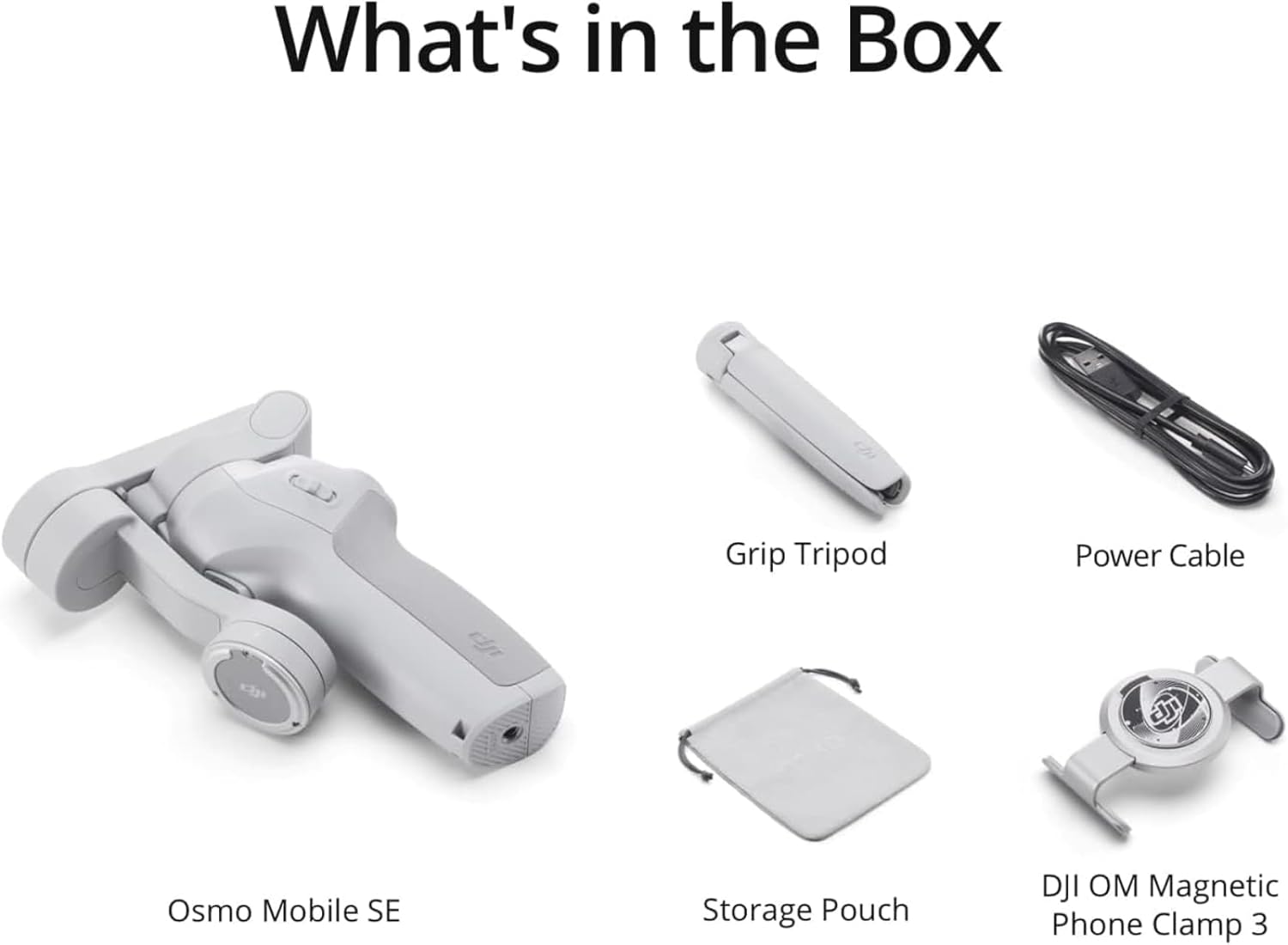

Osmo Mobile SE has a compact foldable design and quick-release magnetic phone clamp to film at a moment’s notice. A new status display panel allows you to switch between gimbal modes and shooting functions. You’re ready to film quickly and effortlessly to catch life’s exciting moments.
Notes
1. Tested when following a single subject.
2. LightCut is a smartphone editing app recommended by DJI.
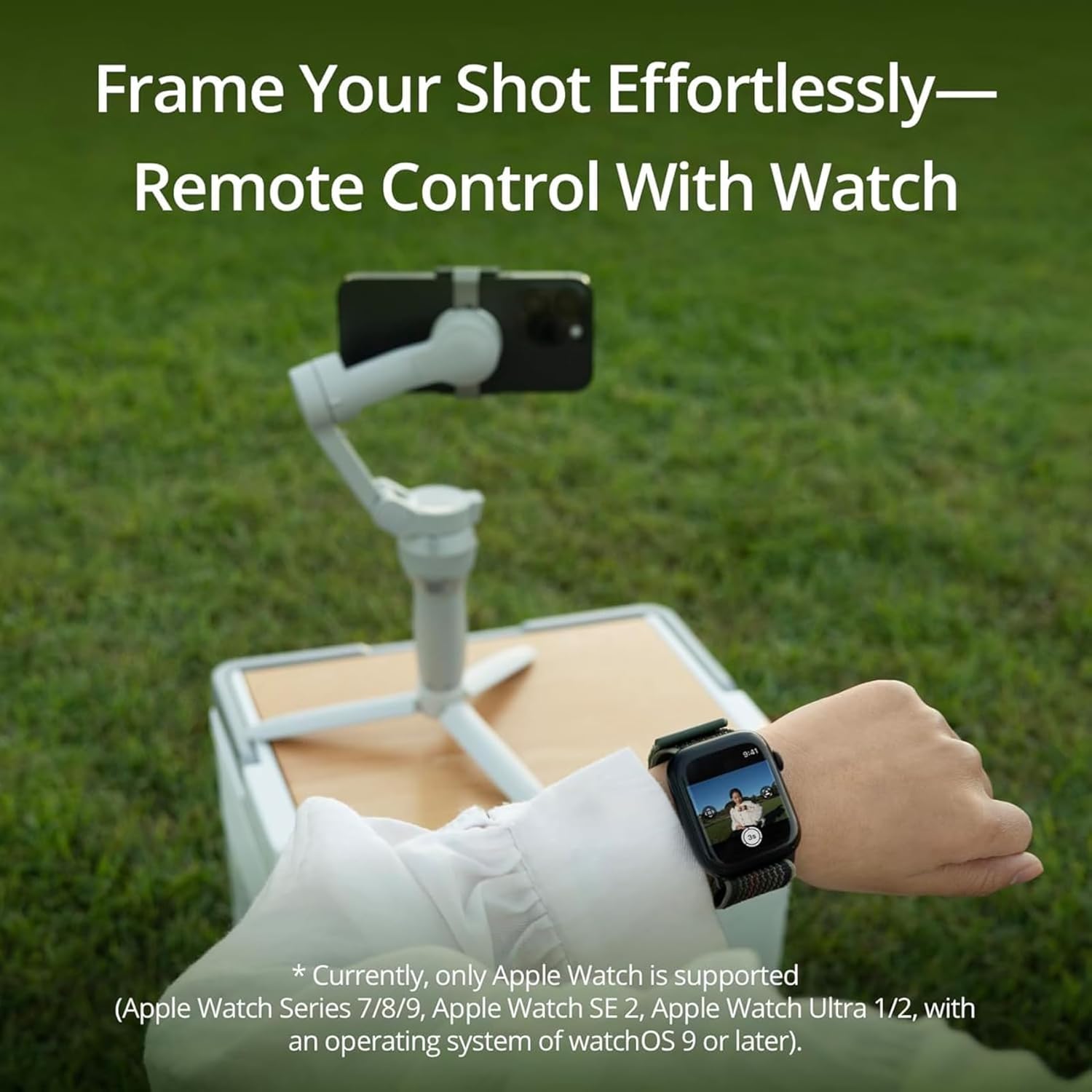
3.Currently, only Apple Watch is supported (Apple Watch Series 7/8/9, Apple Watch SE 2, Apple Watch Ultra 1/2, with an operating system of watchOS 9 or later).
* Due to platform compatibility issue, the DJI Mimo app has been removed from Google Play. You cannot search for DJI Mimo in Google Play. To ensure a better product usage experience, please log in to the DJI official website to download the latest version of DJI Mimo.
Portable, Foldable, and Magnetically Quick – This compact gimbal is a must-have for any content creator’s essentials, allowing you to take it on all your adventures. Snap-in and out effortlessly with the magnetic clamp to capture the moment you want to shoot.
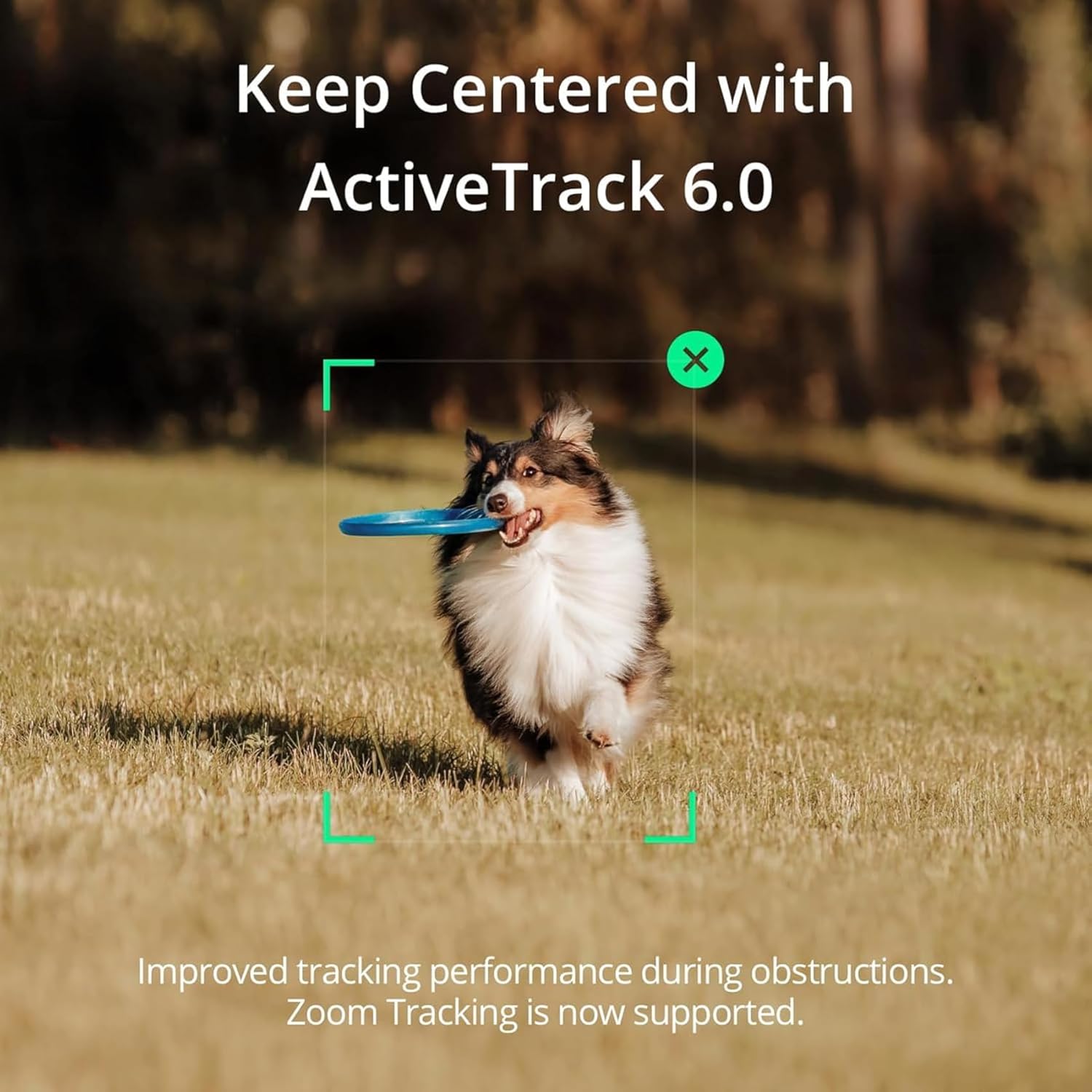
Stay on Point with ActiveTrack 6.0 – With upgraded tracking tech, OM SE sticks to your energetic kids or playful pets like glue. You can even make it track yourself. Become the star of your own film without needing anyone’s help.
Remote Control With Watch – Install the DJI Mimo app on your Apple Watch, and turn it into a smart remote for Osmo Mobile SE. Remotely view camera feeds, adjust the gimbal’s angle, and capture photos and record videos all from your watch.
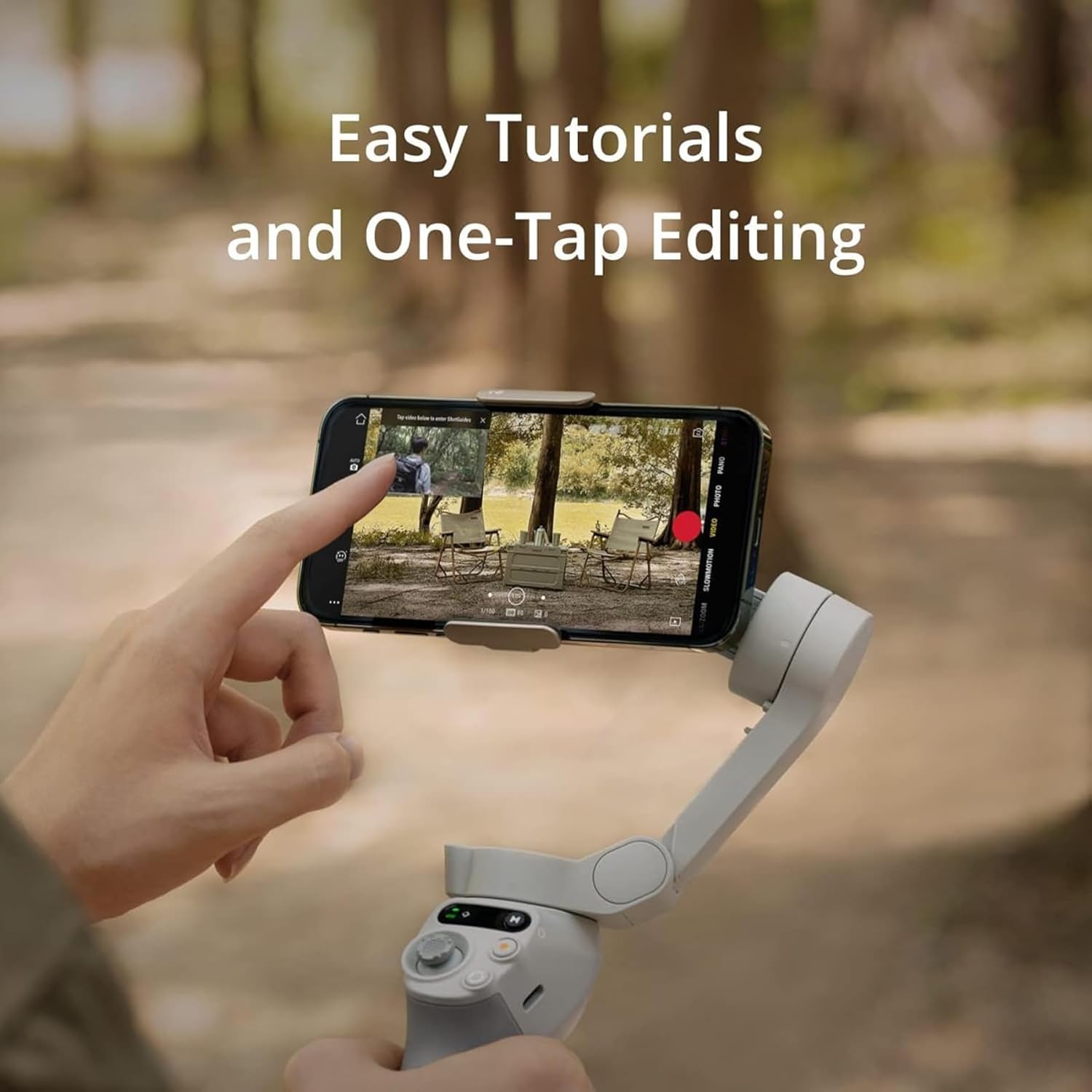
Effortless Editing – Whether it’s shot-by-shot assistance with DJI Mimo’s ShotGuides or the multitude of templates to choose from in LightCut, go beyond just cutting down clips and get edits that inspire.
Smooth Footage – Elevate your shots with 3-axis stabilization. With a next-gen control algorithm, Osmo Mobile SE compensates in real-time for buttery smooth footage.
Landscape and Portrait – From theater-worthy dramatic shots to light and casual social media content, switch effortlessly between horizontal and vertical shooting.
New Status Panel – Quickly and conveniently check the battery level, system indicator status, and gimbal mode. Switch button Follow, Tilt Lock, FPV, and Spin Shot mode to get dynamic shots.
The gimbal is stain resistant and coated in a non-slip texture, with an ergonomic grip that will keep it secure in your hands. It’s compatible with most iPhone, Samsung Galaxy, and Huawei series. Please check the compatibility list before purchasing.
12 reviews for DJI Osmo Mobile SE, 3-Axis Phone Gimbal for iPhone, Android, Built-in Tripod, Selfie Stick, Gimbal Stabilizer for iphone, Andriod, ActiveTrack 6.0, Vlogging Stabilizer for Youtube, TikTok, Travel
Add a review

$6.99
Krew –
Worth the money
I am so impressed with how well this works. Originally I thought it wouldn’t be great for its low price tag but boy was I wrong. Upon using it to film my car I ran around my car in a circle and when I replayed the video, it was as if I wasn’t running. It is very stable. It holds your phone right where you need it and it is very easy to use with helpful instructions. It turns very smooth making for a clean video. The battery is great, still haven’t had to charge it once. And it comes with a phone holder compatible for any phone.
Brandi Osborne –
Durable and made with quality. 10/10 would buy again.
Too easy. For tracking modes, switched between portrait and landscape with two clicks of a button. Zoom in zoom out on the side. Start or stop video or take a photo with a single clip or you hold down for continuous photos. Control the gimbal with the joystick and you will have a very smooth video. I feel like I’m flying when I watch the videos in post. The clip for the phone can be a little tight depending on which phone in which case you have. I wish they sent a larger one, but it will work. It has a follow me mood that I really enjoyed being able to give it a target and let it follow the target while I do instructional videos.
Micah Gillette –
**Fantastic Gimbal — Easy Setup, Lightweight, and Tracks Perfectly**
This thing is awesome. Setup was easy, it’s super light, and it doesn’t wear out your arm during longer videos. I also mounted it on a tripod, and it works great that way too.Using the DJI app, the auto-tracking is spot-on. If you’re filming a person, it follows them automatically—you don’t have to chase the shot. The magnet is incredibly strong, and pairing it with my iPhone 16 has been flawless. The controls are intuitive and easy to figure out, and it was super easy to connect with my phone via Bluetooth.For the price, I couldn’t be happier.
Amazon Customer –
Worth every cent – make sure it fits your phone
This feels very high quality and sturdy. My only issue is I current have an iPhone 16 Pro and an Otterbox case. The case is slim; however, the phone mount grips the side of the phone. Due to the phone having the new camera control button, it is not as easy to set up and balance the phone and takes some adjusting to get it in the right position to use this without it losing grip or having stabilization issues. That is a major flaw – but that is not the fault of the device – that is due to the shape of this phone. Despite that, i find this to be extremely beneficial for creating content, taking photos, and taking videos. It comes with a small ‘tripod attachment’ so you can set it on the table or ground – but it also allows you to connect it to a full size tripod.
Korenski –
Very cool and has lots of neat features, minor annoyances
I really like this product, and it is really neat. I think it’s a good deal for the price. One thing that’s super cool is it stabilizes the phone for when you’re moving, which is awesome. You can easily switch from landscape to vertical with just the push of a button. You can also turn the phone around with the push of a button and turn the camera. It’s really useful and it’s high quality.I like that it comes with an app, and the app has other cool features for filming with, like blurring effects and different cool filming effects. They teach you in the app how to do different cool shots and things. It’s definitely really well made, and I like it a lot.The downsides are:• There isn’t an easy way to turn the whole phone around. You can turn the camera, choose whether you want front-facing or back-facing camera very easily, but you just have to turn the whole gimbal if you want to turn the phone around because the actual joystick only goes right and left. It doesn’t do 360, which isn’t a huge deal. But when I was setting up a stable shot, I had to just turn my entire tripod around instead of turning the camera around, which was kind of annoying.• In order to use all the cool features, you got to use their recording app. You can’t just use the iPhone app or whatever native camera you have on your phone and then use the device to get the features. The features are within the app, which isn’t that big of a deal, but it’s kind of annoying.• If you want to use the DJI Microphone with this, it throws off the balance and weight of your phone, and it can be very hard to get an angle that actually works without blocking the movement. I plugged my microphone in to the phone, and then the phone wouldn’t turn around; it would get caught because of the microphone. It’s weird that it’s their microphone; they should make it work better with their gimbal. It’s hard, and it kind of throws off the balance of the phone a little bit. I think I found a way by maneuvering the phone that it could spin fairly freely with the microphone plugged in, but it wasn’t easy to do and it took maneuvering. So I feel like it should work more seamlessly with their own products or they should have a way to plug the microphone directly into the gimbal so you don’t have to worry about that.• Sometimes, if your phone is off balance, you get this little Air notification, and it’s pretty annoying. You have to adjust the balance of your phone. That’s just kind of the nature of the gimbal having to stabilize your phone, but it is a little bit annoying.But other than that, for $50, I would definitely get this again. If it was $70-80 bucks, then I feel like those little annoyances would make it feel like it’s not worth it.
Jaden K –
Smooth and Powerful Gimbal!
I bought the DJI Osmo Mobile SE for a recent trip and it completely transformed the way I shoot video on my phone. Setup was super easy and the gimbal connected to my iPhone 15 Pro Max within minutes. The stabilization is outstanding. Whether I am walking, panning, or filming fast-moving scenes, the footage comes out smooth and professional looking. It folds up nicely too, so it is really easy to throw in a bag or even a large pocket.The ActiveTrack 6.0 is incredibly useful for solo content creation. I used it while filming for my YouTube travel vlog and it kept me perfectly in frame as I moved around. ShotGuides is another great feature. It gives you helpful prompts and ideas for shots, which is especially useful when you are trying to add variety or learn new angles.Overall, this gimbal is a great balance of quality, portability, and smart features. For the price, it honestly feels like a steal. If you are someone who makes videos regularly or just wants to take your phone content to the next level, the Osmo Mobile SE is a fantastic investment. It is compact, easy to use, and packed with tools that make shooting way more fun and polished.
Ms. Flojo –
A Gimbal That Actually Works!
This DJI Osmo Mobile SE has truly been a game changer for me! I had purchased a similar product before, but its battery never held a charge and the instructions were hard to follow. In contrast, the setup for the DJI Osmo was simple and straightforward, and it works beautifully. If you’re looking for a reliable and easy-to-use gimbal, I highly recommend this one.
Daniel –
Ich nutze den DJI Osmo Mobile SE nun seit einiger Zeit und bin insgesamt sehr zufrieden. Der Gimbal wirkt hochwertig verarbeitet und liegt angenehm in der Hand. Trotz der stabilen Bauweise ist er leicht und kompakt genug, um ihn überallhin mitzunehmen. Ideal also für Reisen, Vlogs oder auch einfach spontane Aufnahmen unterwegs.Die 3-Achsen-Stabilisierung funktioniert richtig gut – das Bild bleibt auch bei Bewegung ruhig und professionell. Besonders praktisch ist die einfache Bedienung. Alles ist logisch aufgebaut, und auch wenn man noch keine Erfahrung mit Gimbals hat, kommt man sehr schnell zurecht.Ein echtes Highlight ist für mich die DJI Mimo App. Die Einrichtung geht schnell, die Verbindung mit dem Smartphone klappt zuverlässig, und die App bietet viele hilfreiche Funktionen. ShotGuides, ActiveTrack 6.0 und die Steuerungsmöglichkeiten direkt über das Display machen das Ganze extrem vielseitig. Die App ist stabil, übersichtlich und macht die Nutzung noch einfacher und angenehmer.Insgesamt ein sehr durchdachtes Produkt. Die Kombination aus guter Hardware und starker Software überzeugt. Wer auf der Suche nach einem zuverlässigen Smartphone-Gimbal ist, macht mit diesem Modell meiner Meinung nach nichts falsch. Klare Empfehlung.
اشتريته للمرة الثانية لوجود فعالية ممتازة –
روووووعة
Philip Chandler –
So far I’m really impressed. It syncs amazingly well with my iPhone, but it does take some getting used to if you haven’t used one before. This is the first time using one of these so I’m rather green to it all.The left control knob for moving the arm is very sensitive but the results are amazing though. You can use it without the app, but the features are limited. The app is free and I do recommend it to get full use of its features.Instructions are a bit limited though and I recommend looking up some Youtube tutorials to get better information.I’m having a lot of fun with it and adds some extra refinement to my social media work.The innovation in these is amazing, the 3 axis stabilization is really impressive and I’m getting really stable looking video. I’m a little blown away as I’m so used to using just a selfie-stick. I know the newer models are even better, but as a beginner, this is a great little unit at a good price now.
Raaahkeee –
Highly recommend for anyone looking to level up their video game.This is such a great little tool for improving video stability and smoothness. I use it to film close-up video content for clients and absolutely love it.It feels well-made and robust, folds away easily, and instantly elevates the quality of your videos. The features are intuitive, and the clear instructions had me up and running within minutes. I felt confident using it right from the start.The more I use it, the more I appreciate it. Clients have commented on how much more professional the footage looks, and I’ve noticed increased engagement on social media, videos just look sleeker and more polished.I use it with both the dedicated app and my iPhone’s native camera, and it works great with both. I actually bought it based on a recommendation from a videographer who said the technology was outstanding for the price, and he was absolutely right!It charges easily, and the battery life is fantastic, it seems to last forever between charges.All in all, a brilliant purchase. I would highly recommend this to anyone serious about creating smooth, professional-looking video content.
Justine De Guzman –
Works perfectly and 100% legit item